GuestCharge Host Guide

Charge guests fairly for EV charging

GuestCharge is a payment system for guest EV charging. Guests pay for what they use. You get paid automatically.

The problem with guest EV charging today

Hosts with EV chargers face the same issues:

How GuestCharge solves this

GuestCharge connects your OCPP charger to automatic guest payments. Guests scan a QR code, pay by card, and charge. You get paid based on actual usage.

📱
Scan
💳
Pay
🔌
Charge
💰
You're paid

What you control vs what GuestCharge handles

GuestCharge handles You control
  • Guest payments & receipts
  • Usage tracking & metering
  • QR code generation
  • Platform & technical support
  • Your £/kWh price
  • Charger ownership
  • Electricity supply
  • Guest communication
GuestCharge Host Guide

How charging works in practice

Simple flows for hosts and guests. No app required for guests.
Host setup (one time)

  1. Create account — Sign up at app.guestcharge.co
  2. Connect Stripe — Link your bank account to receive payouts
  3. Connect charger — Follow integration guide for your charger brand
  4. Set your price — Choose your £/kWh rate
  5. Generate QR code — Download, print, or share with guests

Setup time: Most hosts complete setup in under 10 minutes. Your installer can assist if needed.

Guest experience (each charge)

📱
Scan QR
💳
Pay by card
🔌
Plug in
✉️
Receipt sent

Guests don't need to download an app. They pay in their browser using any debit or credit card. A receipt is sent automatically when the session ends.

After charging

GuestCharge Host Guide

Pricing & responsibilities

Clear pricing. No hidden fees. No monthly commitment.

Pricing

Example: Guest charges 30 kWh at £0.40/kWh = £12.00. You receive £10.80 (after 10% fee). Guest pays card fees separately.

Responsibilities

GuestCharge handles Hosts handle
  • Guest payments
  • Receipts
  • Usage tracking
  • Platform support
  • Payment disputes
  • Setting £/kWh price
  • Electricity supply
  • Charger ownership & maintenance
  • Guest communication

Charger compatibility

What is OCPP?

GuestCharge Host Guide

Setup & onboarding

Everything you need to get started is inside the host dashboard.

Getting started

  1. Create your account at app.guestcharge.co
  2. Complete Stripe onboarding — This requires your bank details for payouts. Only you can complete this step.
  3. Connect your charger — Use the integration guides inside your dashboard
  4. Generate your QR code — Download, print, or share digitally
app.guestcharge.co

Integration guides

Brand-specific setup instructions are available inside your dashboard after account creation.

Host dashboard

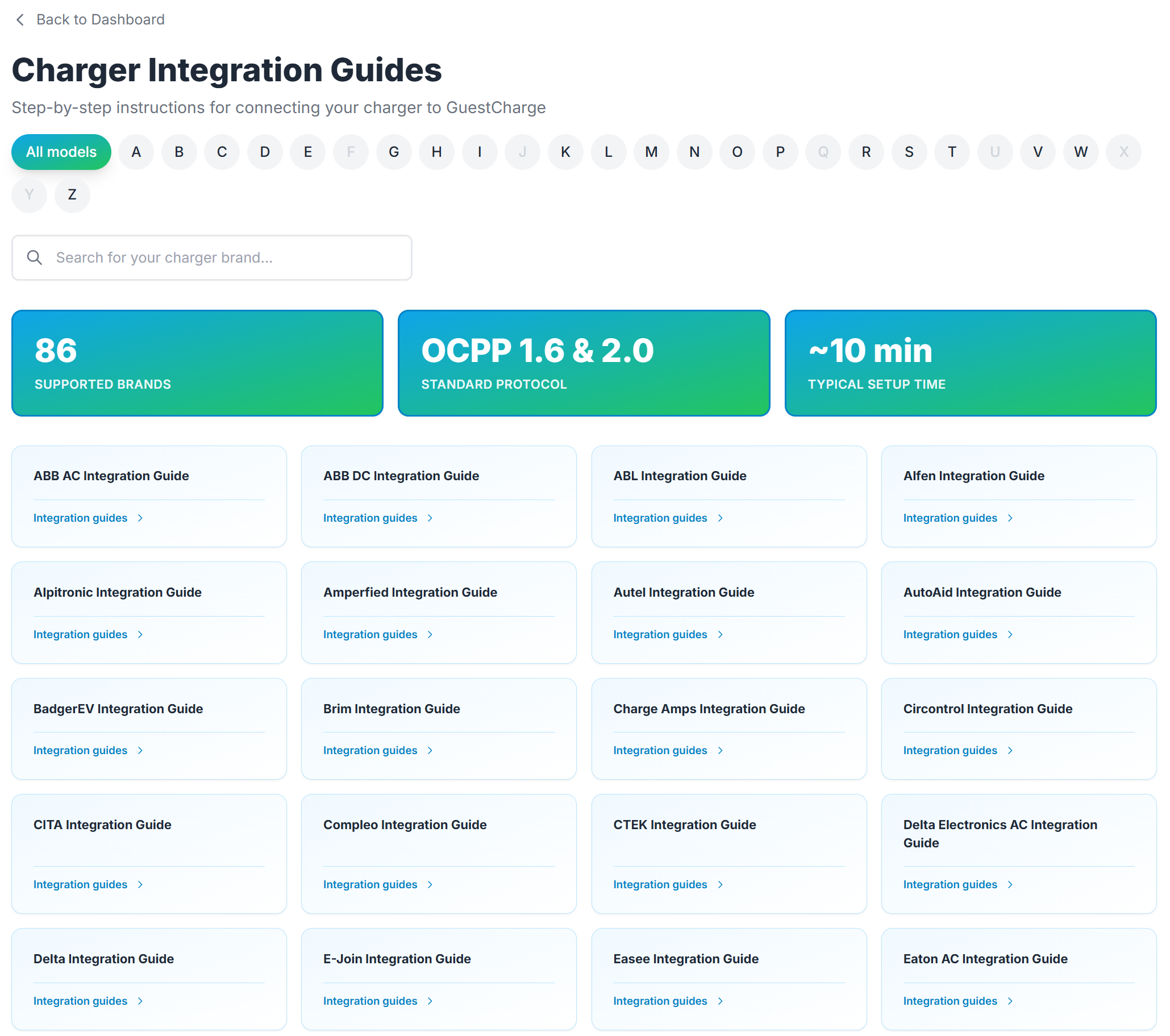
Charger integration guides

GuestCharge Integration Guides showing supported charger brands

Select your charger brand and follow step-by-step instructions. 86 brands supported.

QR codes

QR codes are generated in your dashboard. You can:

Next step

See what you could earn based on your guest traffic and electricity costs.

Get started

For questions, setup help, or QR sticker requests, contact us directly.

guestcharge.co/contact

Support